Features — Everything You Need in a SQL Client
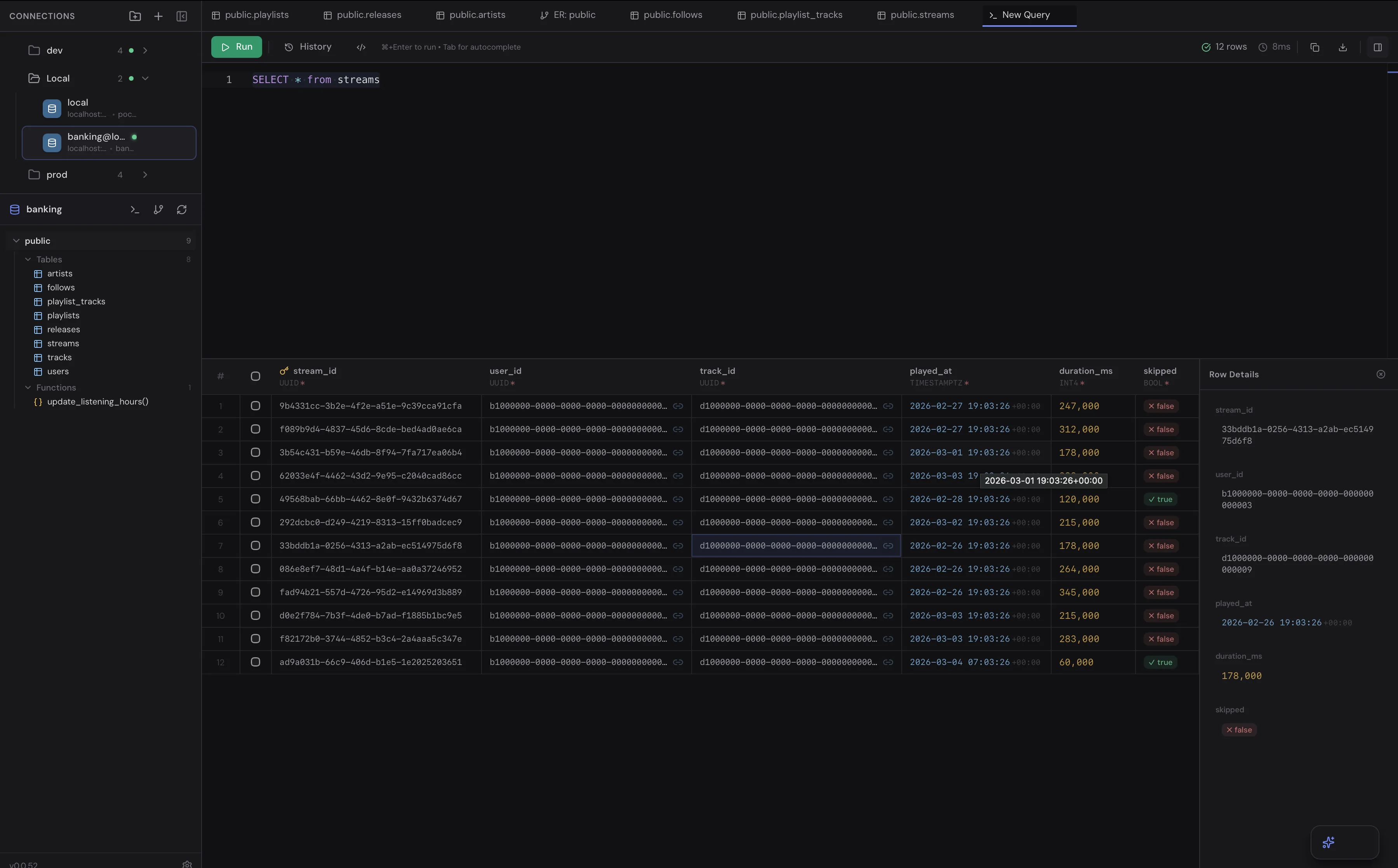
SQL Query Editor with Smart Autocomplete
Full-featured SQL editor with intelligent, schema-aware autocomplete that suggests table names, column names, SQL keywords, and functions as you type. See results in a rich data grid with row details, inline editing, and CSV/JSON export — all in milliseconds. TableHub's query editor is designed for speed: queries execute instantly with results displayed in a sortable, filterable data grid.
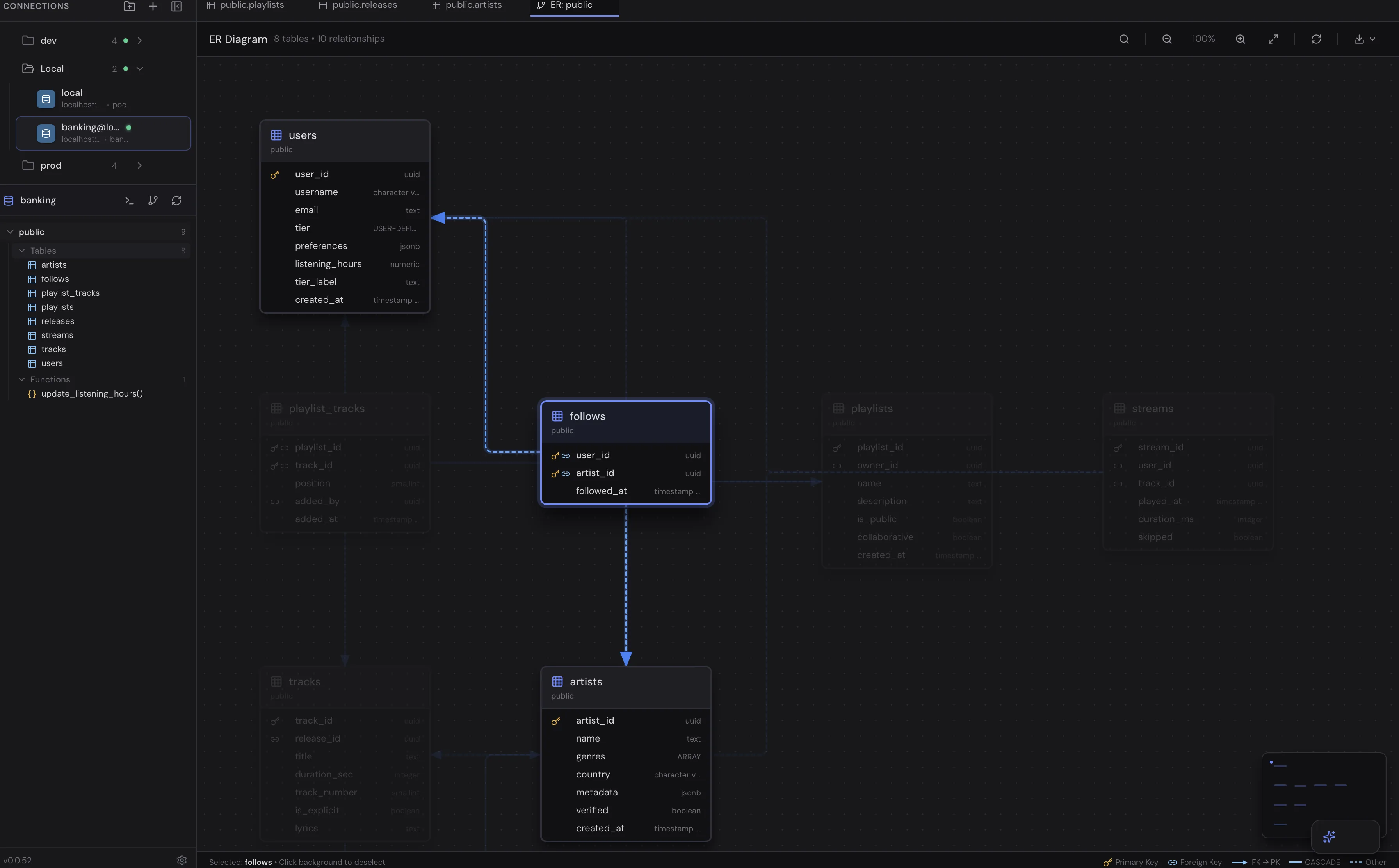
Auto-Generated ER Diagrams
Visualize your entire database schema with automatically generated entity-relationship diagrams. See every table, column, data type, and foreign key relationship at a glance — no manual diagramming or configuration needed. Perfect for understanding complex database architectures, onboarding new team members, and documenting your schema.
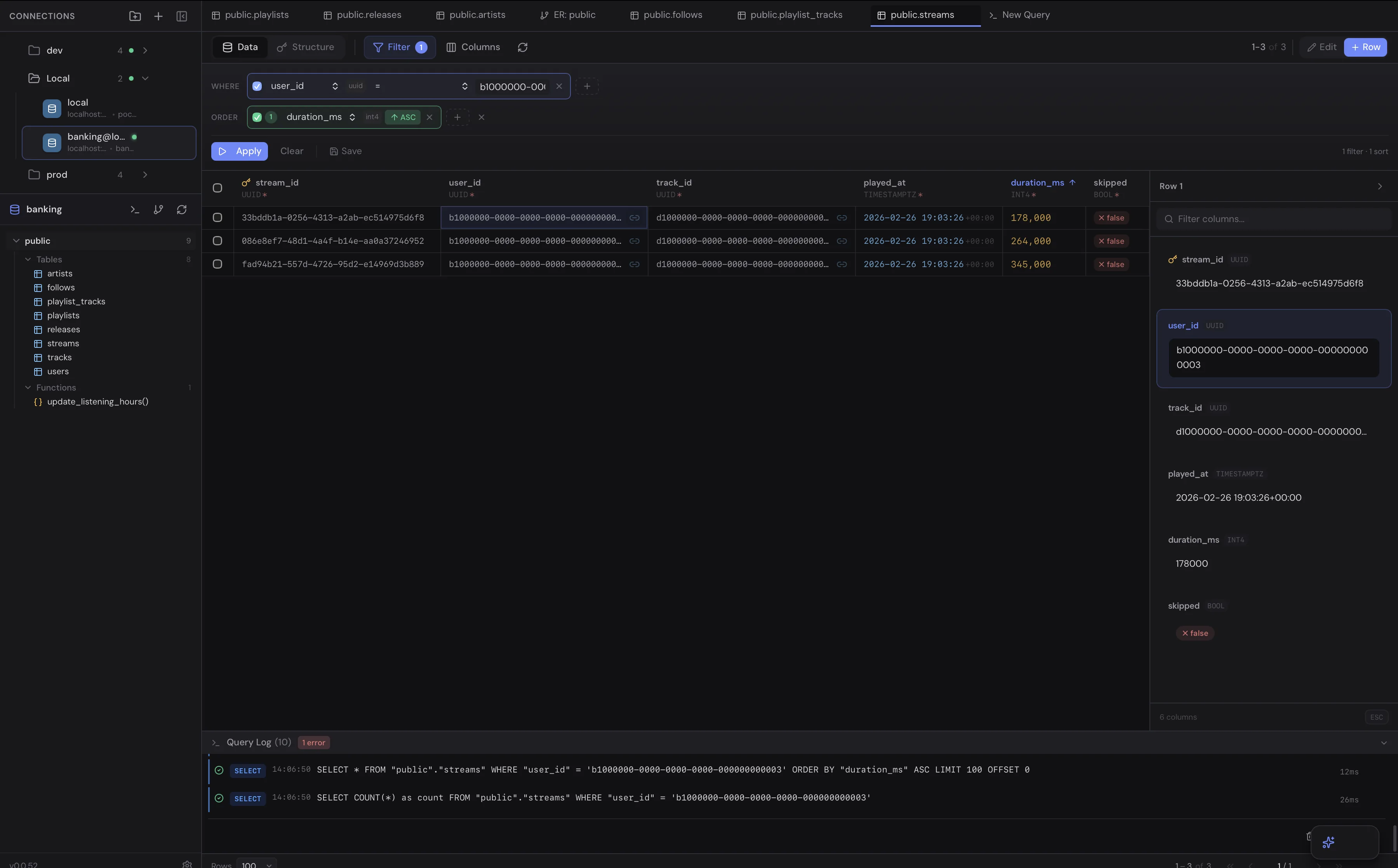
Smart Filters & Sorting Without SQL
Apply advanced filters on any column, chain multiple conditions with AND/OR logic, and sort results — all without writing a single line of SQL. Ideal for data exploration, debugging, and quick data analysis. Filter by text, numbers, dates, booleans, and JSON fields with type-aware operators.
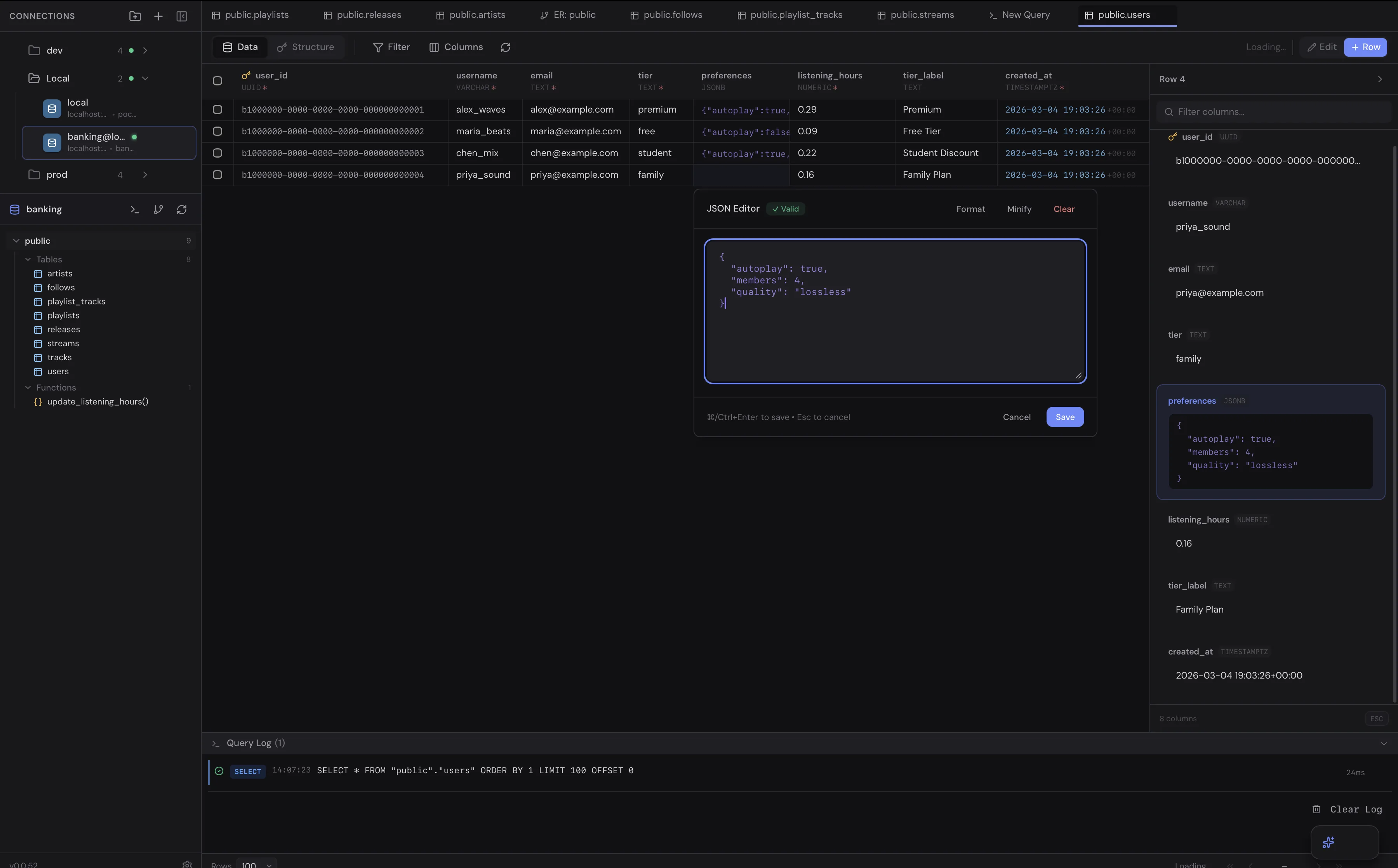
Inline Data Editing
Edit data directly in the table with click-to-edit cells, a dedicated row detail panel for complex records, and a JSON editor with syntax validation. Modify your data without leaving the table view or writing UPDATE queries. Changes are confirmed before committing for safety.
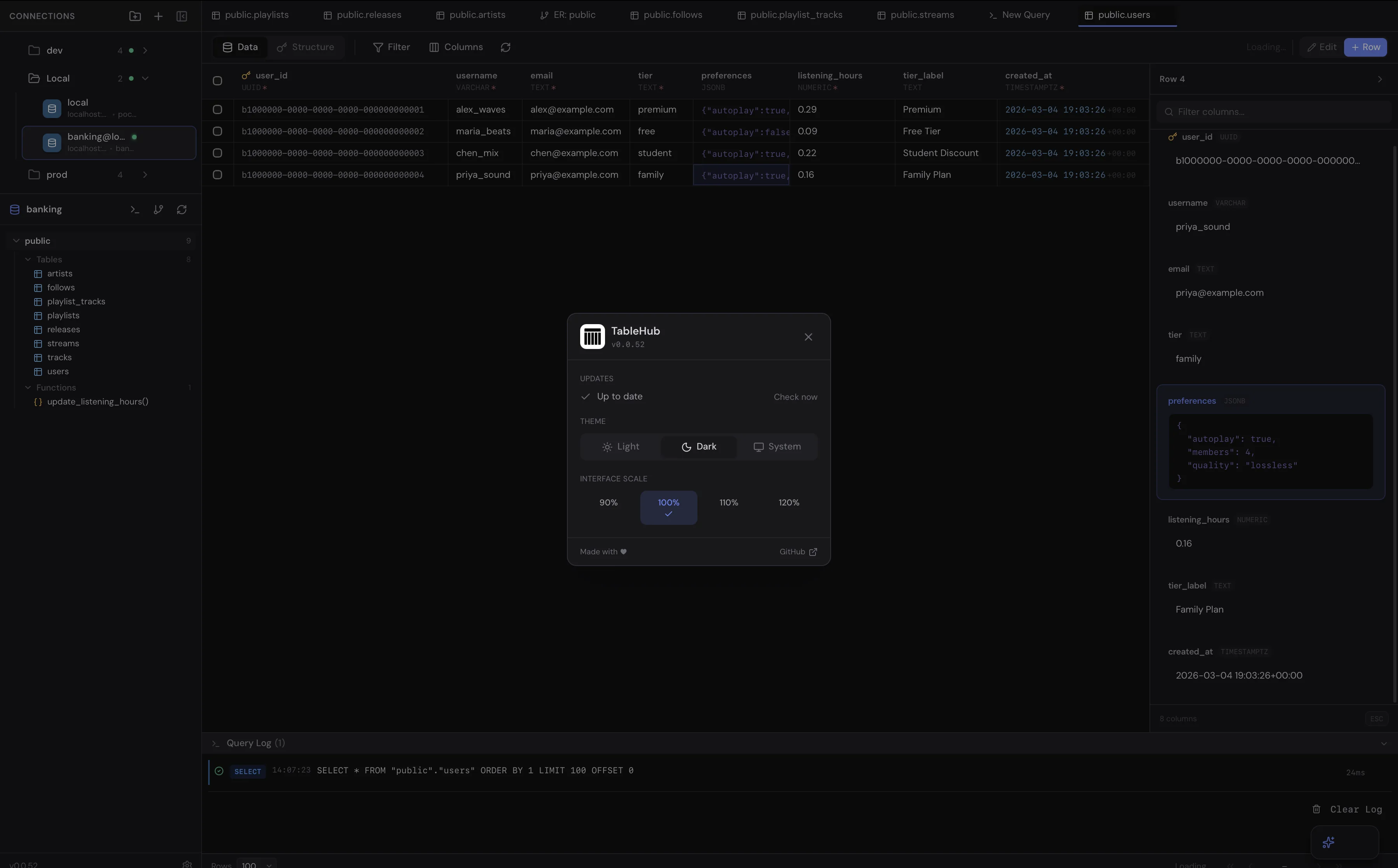
Customizable Themes & UI
Switch between Light, Dark, and System themes. Adjust interface scale from 90% to 120%. Customize your workspace to match your preferences. TableHub adapts to your OS dark mode automatically.
TableHub vs Other SQL Clients — Detailed Comparison
TableHub vs DBeaver
DBeaver is a popular Java-based SQL client that supports 80+ databases, but it's heavy (~500MB memory), slow to start (~15 seconds), and has a complex, dated UI. TableHub launches in ~2 seconds, uses ~150MB of memory, and has a clean, modern interface. TableHub auto-generates ER diagrams (DBeaver requires manual layout) and offers no-code smart filters. DBeaver supports more databases, but TableHub focuses on speed and developer experience for PostgreSQL users.
| Feature | TableHub | DBeaver |
|---|
| Price | Free | Free Community / $199 Pro |
| Startup Time | ~2 seconds | ~15 seconds |
| Memory Usage | ~150 MB | 500 MB+ |
| UI/UX | Modern & minimal | Complex & dated |
| ER Diagrams | Auto-generated | Manual layout |
| Smart Filters | No-code filters | Basic |
| Database Support | PostgreSQL (more soon) | 80+ databases |
TableHub vs pgAdmin
pgAdmin is the default PostgreSQL administration tool, but it's web-based, has a dated utilitarian interface, and lacks modern features. TableHub is a native desktop app with modern UX, schema-aware smart autocomplete, beautiful auto-generated ER diagrams, inline data editing, and customizable themes — features pgAdmin simply doesn't offer.
| Feature | TableHub | pgAdmin |
|---|
| Type | Native desktop app | Web-based |
| UI/UX | Modern & polished | Dated & utilitarian |
| ER Diagrams | Auto-generated | Not built-in |
| Smart Filters | No-code filters | Not available |
| Autocomplete | Schema-aware | Basic |
| Themes | Light/Dark/System | Limited |
TableHub vs DataGrip
DataGrip by JetBrains costs $199/year and consumes 1–2GB of memory as a full IDE with a steep learning curve. TableHub is completely free, lightweight (~150MB), and launches in seconds. It provides the essential database management features developers need without the overhead and complexity of a full IDE.
| Feature | TableHub | DataGrip |
|---|
| Price | Free | $199/year |
| Startup Time | ~2 seconds | ~15-20 seconds |
| Memory | ~150 MB | 1-2 GB |
| Learning Curve | Low | High |
| Database Support | PostgreSQL (more soon) | 20+ databases |
TableHub vs TablePlus
TablePlus has a modern UI but limits free users to 2 open tabs and 2 database connections, with the full version costing $89. TableHub is completely free with unlimited connections and all features included. TableHub also adds auto-generated ER diagrams that TablePlus reserves for paid users.
| Feature | TableHub | TablePlus |
|---|
| Price | Free | Free (limited) / $89 |
| Free Tier Limits | None | 2 tabs, 2 connections |
| ER Diagrams | Auto-generated (free) | Paid only |
| Database Support | PostgreSQL (more soon) | 20+ databases |
TableHub vs Postico
Postico costs $49.99 and is macOS-only. TableHub is free and cross-platform — macOS, Windows, and Linux — with auto-generated ER diagrams and smart filters that Postico doesn't offer.
Frequently Asked Questions About TableHub
Is TableHub free?
Yes, TableHub is completely free with all features included — unlimited connections, full query history, ER diagrams, smart filters, inline data editing, and more. No credit card required. No feature limitations. No per-seat pricing.
What databases does TableHub support?
TableHub currently supports PostgreSQL with full features including query editing with autocomplete, auto-generated ER diagrams, smart filters, and inline data editing. MySQL and SQLite support are actively in development and coming soon.
How does TableHub compare to DBeaver?
DBeaver is Java-based, using ~500MB of memory with ~15 second startup times. TableHub is built with modern technologies — it launches in ~2 seconds, uses ~150MB of memory, and has a cleaner, more intuitive UI with auto-generated ER diagrams and no-code smart filters.
How is TableHub different from pgAdmin?
pgAdmin is web-based and can feel slow with a dated UI. TableHub is a native desktop app that launches instantly with modern UX, smart schema-aware autocomplete, beautiful auto-generated ER diagrams, and inline data editing — features pgAdmin doesn't have.
Why choose TableHub over DataGrip?
DataGrip costs $199/year and consumes 1–2GB of memory as a full JetBrains IDE. TableHub is completely free, lightweight (~150MB), and launches in seconds with all essential database features.
What platforms does TableHub run on?
TableHub runs natively on macOS (Apple Silicon and Intel), Windows 10/11 (64-bit), and Linux (AppImage, .deb, .rpm). It's a true cross-platform SQL client.
Does TableHub have SQL autocomplete?
Yes! TableHub includes smart, schema-aware SQL autocomplete. It suggests table names, column names, SQL keywords, and functions as you type, based on your actual database schema.
Can I generate ER diagrams automatically?
Yes. TableHub auto-generates entity-relationship diagrams directly from your live database schema — every table, column, data type, and foreign key relationship at a glance.
Is my data safe with TableHub?
Yes. TableHub connects directly to your database — no data passes through our servers. Your credentials and data stay entirely local on your machine.
Can I edit data directly in TableHub?
Yes. TableHub supports inline cell editing, a row detail panel for complex records, and a JSON editor with syntax validation — no UPDATE queries needed.